
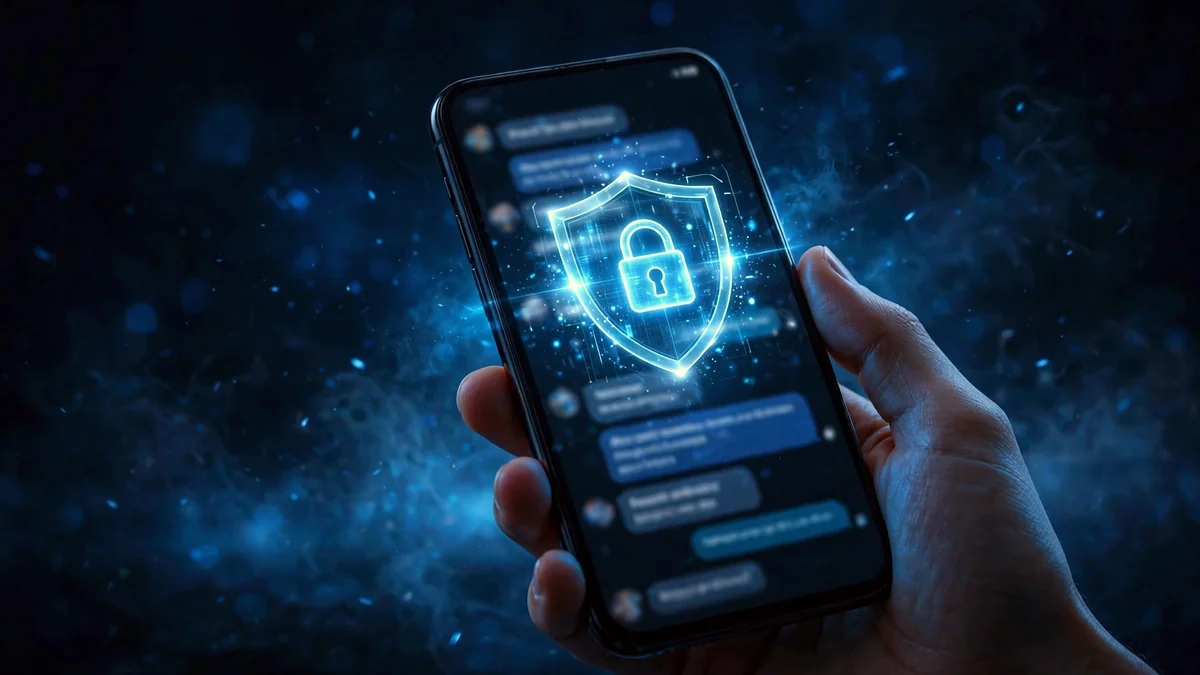
Signal now blocks screenshots inside the app, to stop AI assistants reading your chats. It follows a report that Meta’s Muse agent read Signal messages.
Updated: 22 November 2026, 10:45 IST
Quick Read
- Signal announced on Friday 20 November that it will block screenshots inside the app, to stop AI assistants reading private chats.
- On iPhone, a new “Block Siri AI” switch stops screenshots by default; on Android, Screen Security turns on by itself when an AI assistant tries to read the screen.
- Signal admits the fix is not complete: notifications and file access can still leak messages, and Mac users get no reliable block at all.
Signal is fighting back against AI that reads your screen. On Friday 20 November, the messaging app announced it will block screenshots inside Signal, so that AI assistants built into the phone cannot read your private chats. The move comes from Signal’s president, Meredith Whittaker, who called AI that sits inside the operating system an “existential threat” to private messaging.
The problem is new, and it is simple to explain. Modern phones now come with AI assistants that can see what is on your screen. They take screenshots, read the text in them, and use what they find to answer questions or carry out tasks. That is handy when you ask an assistant to read a recipe off a web page. It is a disaster when the assistant reads a private chat you never asked it to look at.
That disaster already happened. On 18 November, Reuters reported that Meta’s Muse agent, an AI assistant with more than 10 million downloads since it launched in September, read Signal messages it was never connected to. On Android, it picked up Signal messages through push notifications. On macOS, it used accessibility tools and screenshot tools to read the screen. On iPhone, the requests were blocked.
What Signal changed, phone by phone
On iPhone, the change is a new switch called “Block Siri AI.” It is on by default on iOS 27. With it on, Signal stops screenshots and screen recordings inside the app. If you try to take a screenshot, you see: “Screenshot prevented by ‘Block Siri AI’ setting.” If the phone cannot take a screenshot of the chat, then Siri, or any other AI that reads screenshots, cannot see the chat either.
On Android, Signal uses a tool called Screen Security. It now turns on by itself when an AI assistant tries to read the screen. The user does not have to tap anything. The screen simply goes blank to the assistant, while the chat stays visible to the person holding the phone.
On Windows 11, Signal already blocks screenshots by default. That change came in May, and it was aimed at Microsoft’s Recall feature, which takes regular screenshots of everything on the computer. The new announcement extends the same kind of protection to phones, where most people actually read their messages.
On Mac, there is no reliable block. That is Signal’s own admission. Apple does not give apps a way to stop screenshots on macOS the way it does on iPhone. So Signal’s advice for Mac users is different: add Signal to Siri’s Excluded Apps list, so Siri is told not to look at it. It is a setting, not a wall.
Also read: California sues OpenAI over AI agents
You can switch it off, but Signal says do not
The block is on by default, but users can turn it off. Signal is blunt about what that means. Switching it off “breaks our privacy guarantees,” the company said. When you switch the block off, you do not only expose your own messages. You expose the messages of everyone who talks to you. Their words sit on your screen, and an AI that reads your screen reads their words too. Privacy in a chat is shared.
Whittaker’s own words are sharper still. She said AI agents built into the operating system “scan” what is on screen, and the data they pick up is “captured, stored, and made accessible to whatever local database or remote server an OS-level AI agent is using.” Put in plain words: once an AI reads your chat, a copy can sit on a server you do not control, and you may never know.
This is why Signal calls the threat existential. Signal’s whole promise is that only the people in a chat can read the chat. If the phone itself reads the chat and sends a copy to an AI server, that promise breaks, even if Signal’s own encryption is perfect. The leak happens after the message is decrypted and shown on the screen.
Desk-original added context
The table below is compiled by this desk from Signal’s announcement and the reporting cited in this article. It is written for readers in India, who mostly use Android phones and iPhones, with a smaller number on Windows laptops and Macs.
| Your device | What is blocked | What you need to tap | What stays open |
|---|---|---|---|
| iPhone (iOS 27) | Screenshots and screen recordings inside Signal | Nothing — “Block Siri AI” is on by default | Push notifications can still show message text on the lock screen |
| Android | AI assistants reading the screen | Nothing — Screen Security turns on by itself when an assistant tries to read the screen | Push notifications, which is the route Muse used on Android |
| Windows 11 | Screenshots inside Signal | Nothing — on by default since May | Files on the computer, if an app can read them |
| Mac | Nothing reliable | Add Signal to Siri’s Excluded Apps list | Screenshots and accessibility tools — the route Muse used on macOS |
Read the table and the gap jumps out. The iPhone and Android fixes block the screenshot button. They do not block the notification route. On Android, that is exactly how Muse read Signal messages, per the Reuters report: through push notifications, not screenshots. A notification carries a slice of the message on to the lock screen or the notification shade, and an AI assistant that can read notifications can read that slice.
So here is the honest critique, stated plainly. Signal’s fix stops one door, the screenshot door. It does not stop the notification door. A user who wants real protection should also turn off message previews in notifications, so the lock screen never shows chat text. Signal has said this fix is incomplete, and the table shows why.
What Indian Signal users should do
First, leave the block on. On iPhone, check that “Block Siri AI” is on. On Android, check that Screen Security is on. Both sit under Settings, then Privacy, then App Security, inside Signal. If you turned either off in the past, turn it back on now. There is no good reason for most people to switch it off.
Second, hide message text from notifications. On both iPhone and Android, you can set Signal so that a notification says only “new message” and shows no text. That closes the route Muse used on Android. It is a small loss in convenience. You have to open the app to read the message. It is a real gain in privacy.
Third, think about the Mac. If you use Signal on a Mac, add it to Siri’s Excluded Apps list. And know that this is a request, not a lock. If you have private chats, read them on your phone, not on the Mac, until Apple gives apps a real way to block screenshots there.
Also read: Apple’s AI agent to rival ChatGPT and Claude
Why this fight is bigger than Signal
Signal is a small app with a big reputation. It has far fewer users than WhatsApp or Telegram. But it is the app that privacy experts point to when they want to show what private messaging looks like. When Signal says an AI assistant is an existential threat, other apps listen. WhatsApp, Telegram, and every other chat app faces the same problem: their messages are also shown on screens that AI can read.
The fight is also about who controls the phone. For years, the deal was simple: the app controls its own screen, and the phone respects that. Now the phone itself has an AI that wants to see every screen, to help the user. The help is real. The cost is that nothing on the screen is private from the phone any more.
Whether that line holds depends on Apple, Google, and Microsoft. They build the operating systems, and they build the AI assistants. Signal can block screenshots inside its own app, but it cannot stop an operating system from reading notifications. The real fix has to come from the operating systems themselves: a private chat is off-limits to AI, unless the user says otherwise.
Until that rule exists, the safest step is the simplest one. Leave Signal’s block on, hide message text from notifications, and remember that a screenshot block stops the screenshot button, not every way a message can leave your phone. The next move now belongs to the phone makers, and to the users who decide what their AI is allowed to see.
FAQ
What did Signal change on 20 November?
Signal started blocking screenshots inside the app, to stop AI assistants reading private chats. On iPhone, a new “Block Siri AI” switch is on by default on iOS 27. On Android, Screen Security turns on by itself when an AI assistant tries to read the screen. Windows 11 blocking has been on by default since May.
Can I still take a screenshot in Signal if I want to?
Yes, you can switch the block off. Signal warns that switching it off “breaks our privacy guarantees,” because it also exposes the messages of everyone who chats with you. Leave it on unless you have a real need to turn it off, and turn it back on after.
Does the block fully stop AI from reading my Signal chats?
No. Signal admits the fix is incomplete. Push notifications can still show message text, and file access and other routes remain open. On Mac there is no reliable block at all. Hide message text from notifications as well, and read sensitive chats on your phone rather than on a Mac.
Also read: Gemini 4 Neon: Google’s launch
Sources
- TechCrunch — Signal restricts mobile screenshots as it confronts existential threat of AI surveillance (PRIMARY: Whittaker announcement, “existential threat” quote, iOS/Android/Windows/Mac details): https://techcrunch.com/2026/11/21/signal-restricts-mobile-screenshots-as-it-confronts-existential-threat-of-ai-surveillance/ (curl 403, 22 Nov 2026 — bot-wall; details corroborated by The Hacker News, Digital Trends and 9to5Mac below)
- The Hacker News — Signal blocks AI agents from reading (screenshot blocking, Reuters Muse report, notification route): https://thehackernews.com/2026/11/signal-blocks-ai-agents-from-reading.html (200; fetched 22 Nov 2026)
- Digital Trends — Signal adds screenshot protections to stop AI agents reading chats (iPhone “Block Siri AI” toggle, Android Screen Security, macOS Excluded Apps advice): https://www.digitaltrends.com/phones/signal-adds-screenshot-protections-to-stop-ai-agents-reading-chats/ (200; fetched 22 Nov 2026)
- 9to5Mac — Signal now blocks screenshots on iPhone to stop Siri AI from seeing chats (iOS 27 default, “Screenshot prevented” message, incomplete fix): https://9to5mac.com/2026/11/20/signal-now-blocks-screenshots-on-iphone-to-stop-siri-ai-from-seeing-chats/ (200; fetched 22 Nov 2026)
- Fast Company — Signal blocks screenshots, AI agents hostile privacy, Meredith Whittaker (“scan” quote, data captured and stored): https://www.fastcompany.com/91646370/signal-blocks-screenshots-ai-agents-hostile-privacy-meredith-whittaker (curl 403, 22 Nov 2026 — bot-wall; quote corroborated by TechCrunch reporting)

Sasanka Sekhar Pradhan is the founder of India Presents, an India-focused news site. He covers daily box-office trackers, India news, economy explainers, sports previews and festival guides — in simple English, so readers across India can follow fast-moving stories without jargon. His focus is what a story means for the reader: the number that matters, the source behind it, and what happens next. India Presents publishes daily, with day-trackers updated as new figures come in.


Pingback: Apple Builds AI Agent to Rival ChatGPT, Claude